%20-%20EN.png)
Participate in a prepared session
From the invitation to the exchange with your coach, follow your session step by step.

Find your invitation
%20-%2001.png)
You are invited
When a coach invites you to a session, MSB sends you a notification.
Find your notifications
The badge on the bell indicates that a new notification is waiting for you.
Open the invitation
Tap the notification to go directly to the proposed session.
Advice
Did you miss the notification? The invitation is still accessible from your MSB notifications.

Review the program and accept the session
%20-%2002.png)
View the information
Check the date, time, duration and session information.
Discover the program
Review the objectives, schedule and instructions prepared by your coach.
Confirm your participation
Optionally choose your calendar, then press ✓ Present to accept the invitation.
Advice
Add the session to your calendar so you can also find it in your agenda.

Complete one exercise from the session
1
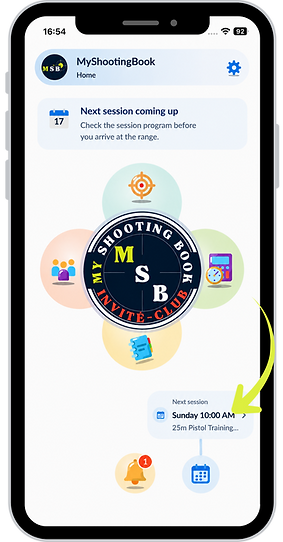
From the homepage, access your next session
%20-%2003.png)
2
Consult the procedure and choose the exercise to perform.
%20-%2004.png)
3
Complete the exercise and enter your results.
%20-%2005.png)
During the exercise
Complete the exercise in MSB and enter your shots as you go.
After the exercise
You can also complete the exercise entirely, then enter your results into MSB.
Advice
In both cases, complete your notebook with a note or images to preserve your observations.

Follow the progress of the session
%20-%2006.png)
Track your progress
Each completed exercise is automatically marked as finished.
Find your results
Your scores and shot volume appear directly in the session log.
Advice
Use the progress bar to check the exercises completed and continue with the next one.
%20-%2007.png)
And what about the coach?
Throughout your session, your coach can monitor your progress and review your results for each exercise.

Take stock and discuss with your coach
%20-%2008.png)
Share your feelings
Reflect on your session, your feelings and the difficulties encountered.
Continue the conversation
Your coach can answer your questions and prepare the next steps with you.
Advice
If you were unable to debrief at the booth, simply continue the discussion remotely in MSB.